3 Reasons to Learn Sass for Better Styling Structure

I think it's safe to say that writing CSS code can get a bit out of hand, especially for big projects- something known as spaghetti code in the development world. And of course, with any project, there will still be significant amounts of code needed, but there are many ways to help structure that code and even use it again in the future as a template should one ever find the need to do so.
1. CLEARER APPROACH TO CSS SELECTORS
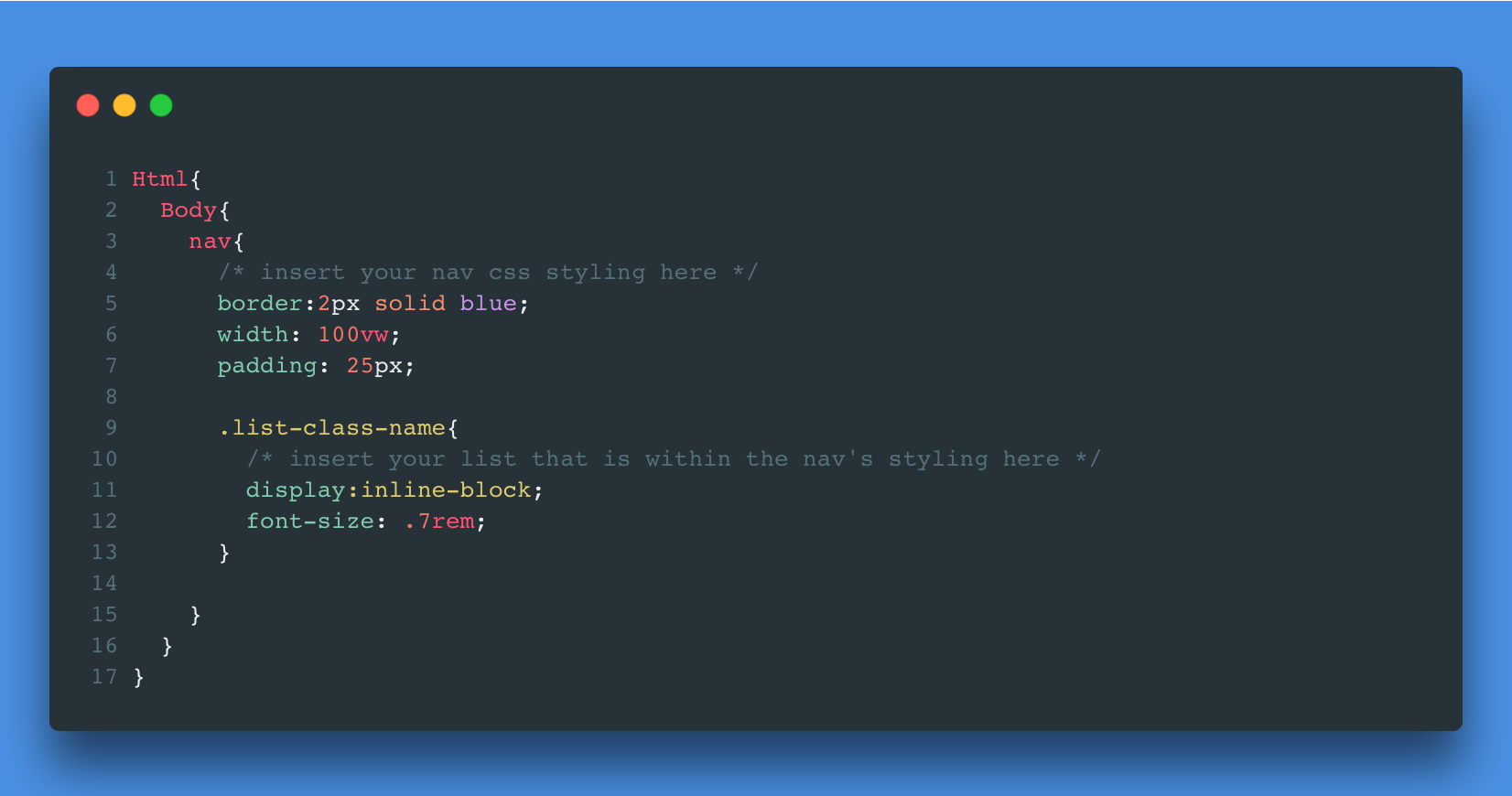
You can structure your CSS code like an HTML file with a NESTING hierarchy in Sass.
Although over nesting is a thing, selecting specific elements for styling is much more manageable when used correctly.
2. Implementation of DRY
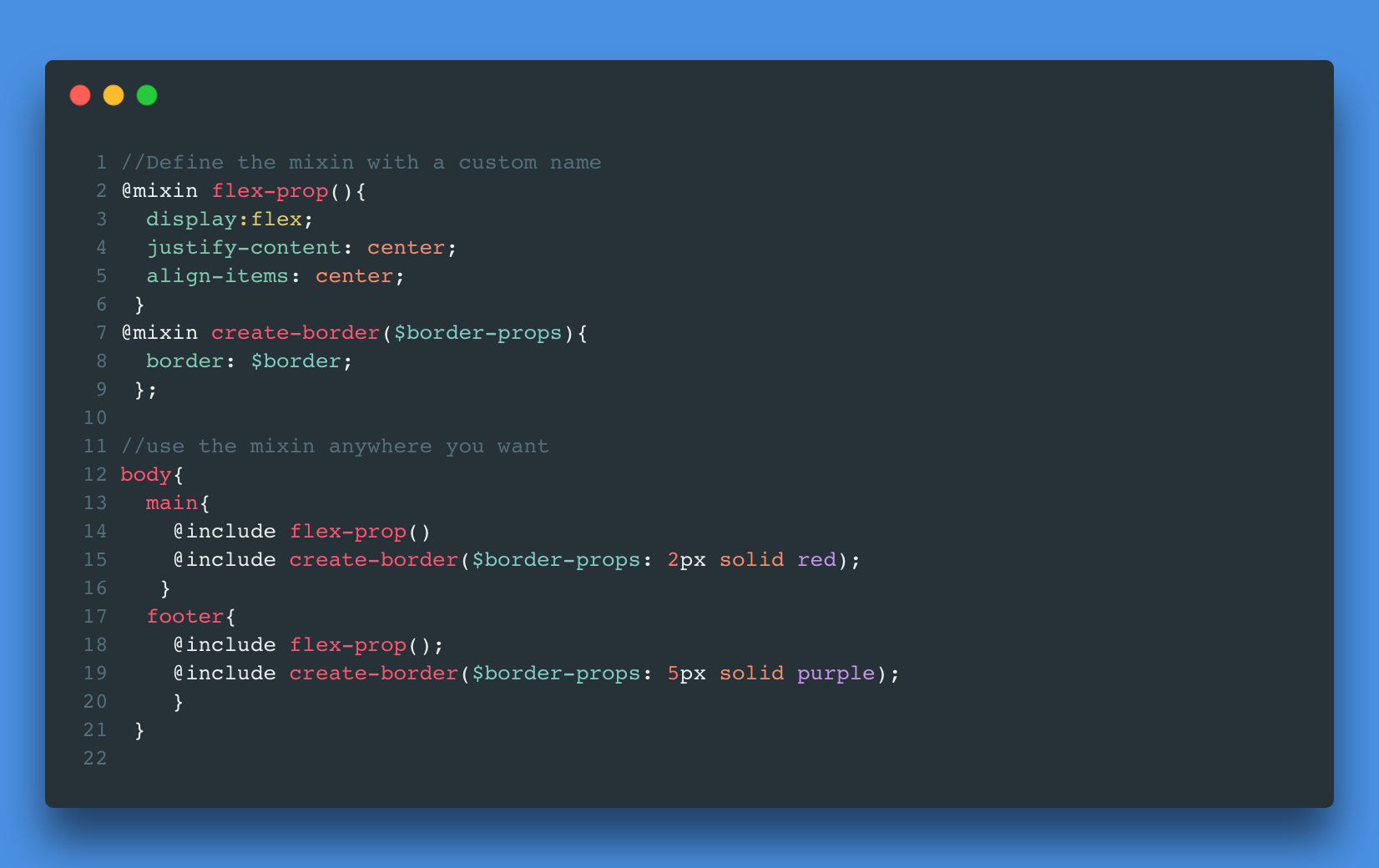
As we all know, a fundamental principle in programming is Don't Repeat Yourself. Sass has a perfect system that allows for reusable code blocks where you can write the code once and reuse it anywhere to style the web page. Mixins are used for the reusability of code.
A mixin, in simple terms, is almost like a function.
The mixin is given a name, followed by parentheses that include any required parameters. Within the block, you give the properties one of the two: the parameter's name or just a regular styling.
To use the mixin, you can use the keyword @include within any class that you would want to include the predefined code block for its styling and any required parameters.
3. Interpolation
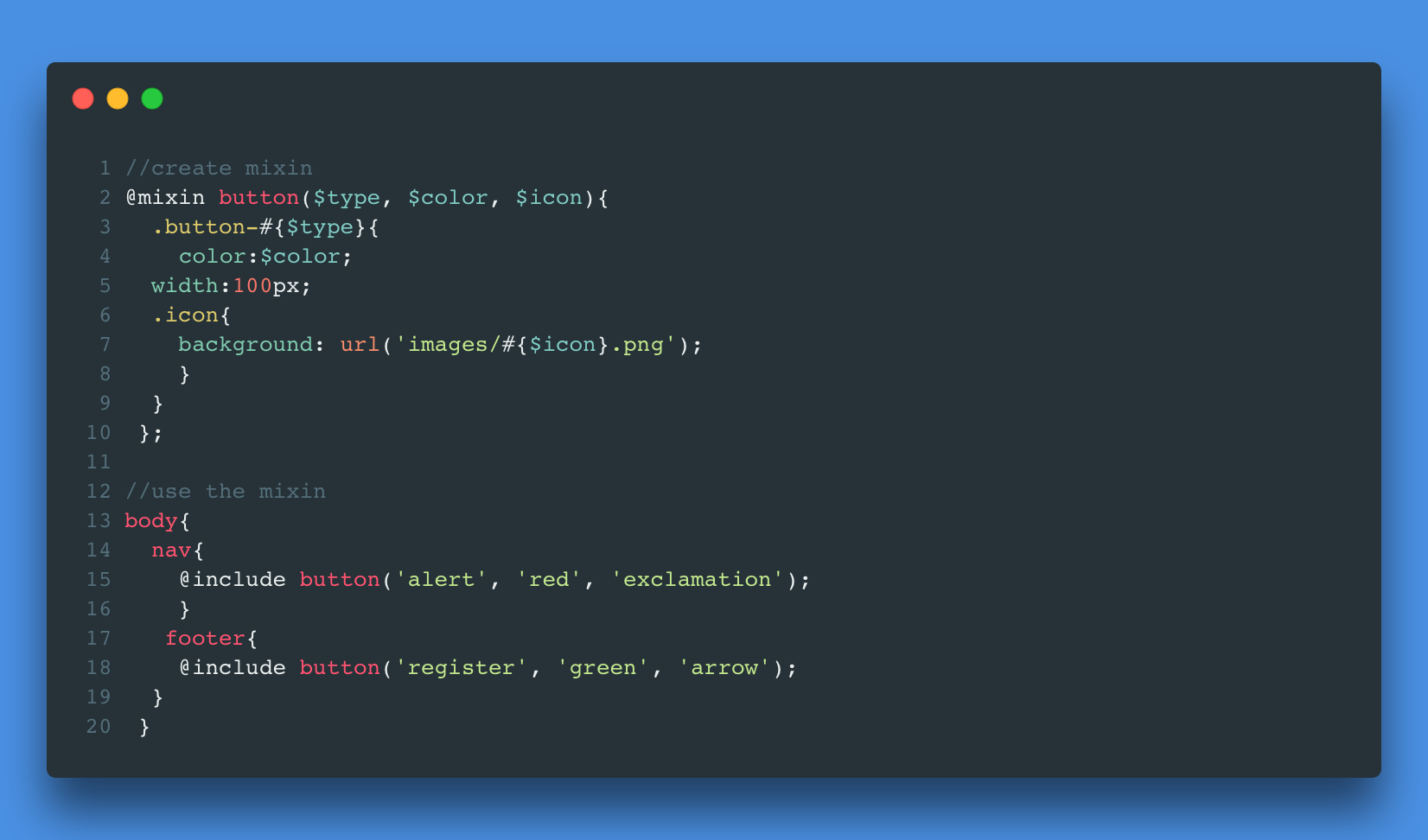
This third reason speaks for itself because this is well-known programming fundamental. Simply put, you can insert either a variable name or just a string with a number sign and curly brackets- #{}.
There are many use cases for it, but for the most part, I have used it as a way to iterate through a list of class names with identical naming conventions.
Until Next Time
I want to conclude this article by saying that these are not the only features of Sass; there are so many more ways to use Sass. But these are the three of the most valuable features that have stood out to me in my two months of working with Sass. If you give it a try, writing CSS will become perhaps less tedious or repetitive for the user. Perhaps Sass can provide a change of heart for those who dislike anything CSS.
About the author
Developer from NYC. Current Tech Stack: React 👨🏽💻 SCSS 📜
Comments
Join the discussionNo comments yet. Be the first to comment.